


AI摘要:本文介绍了在Typecho博客中添加悬浮音乐播放器的方法。首先,需要找到博客主题的路径,然后将提供的代码插入到footer.php文件末尾。完成后,博客将展示一个悬浮音乐播放器。
Powered by AISummary.
Powered by AISummary.
效果展示
打开博客展示悬浮音乐
实现步骤
1、找到typecho博客引用的主题的路径
/www/wwwroot/gpsnb.com/usr/themes/butterfly
2、将以下的代码插入到“footer.php”文件末尾
<div id="xf-MusicPlayer" data-cdnName="https://player.xfyun.club/js"   data-songList="8192282166"data-fadeOutAutoplay data-memory="1" data-random="true"></div>
<script src="https://player.xfyun.club/js/xf-MusicPlayer/js/xf-MusicPlayer.min.js"></script>
如图所示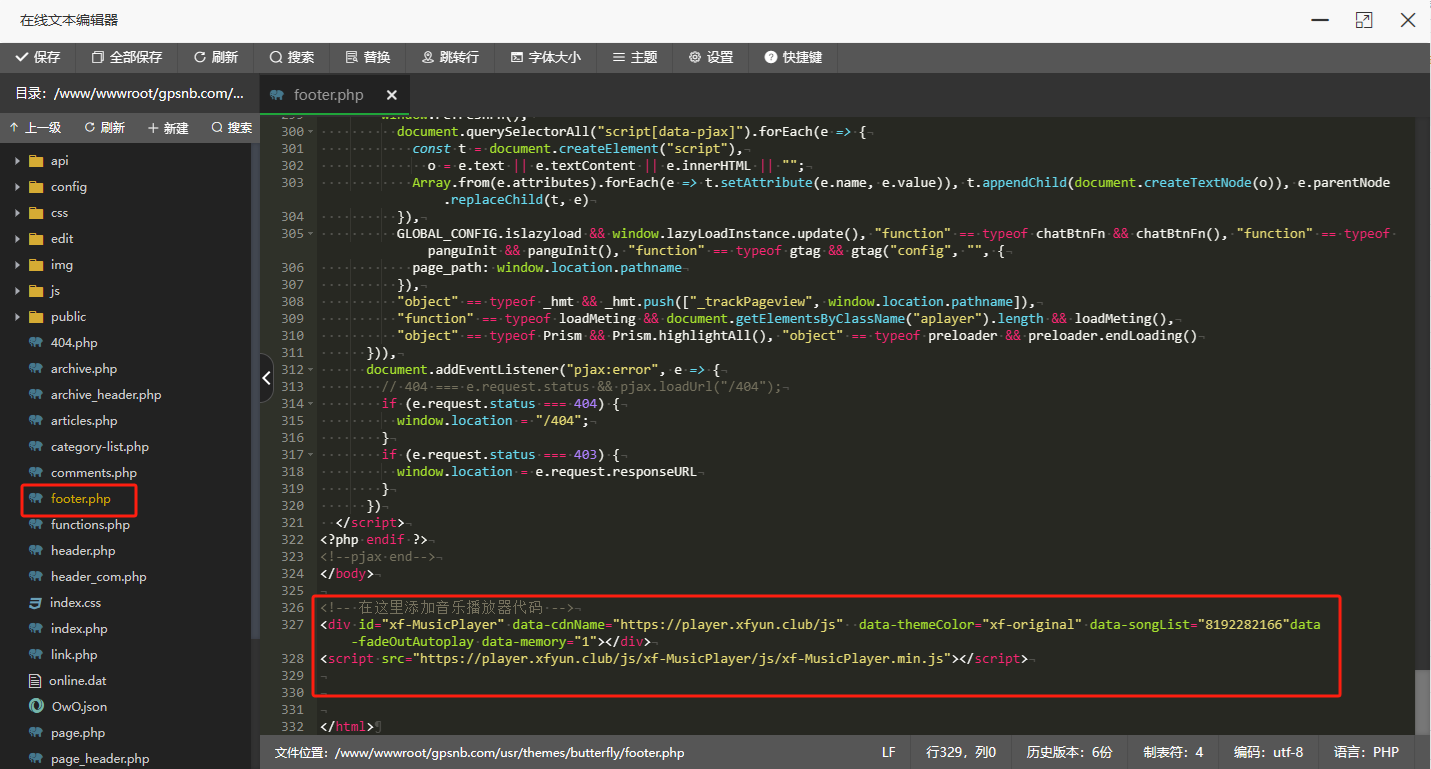
OK!你已经完成操作啦~
评论 (0)